Adapter capabilities
| User authentication | YES |
| User profile | YES |
| User contacts list | YES |
| User activity stream | YES |
| Update status | YES |
| Access provider API | YES |
Adapter specifications
| ID |
Twitter |
| Protocol |
OAuth |
| IDp URL |
http://dev.twitter.com/ |
| Keys registeration |
https://dev.twitter.com/apps |
| Dev documentation |
https://dev.twitter.com/docs |
| Since |
HybridAuth 1.0.1 |
| Wrapper |
./Hybrid/Providers/Twitter.php |
| Callback URL |
http://mywebsite.com/path_to_hybridauth/?hauth.done=Twitter |
Registering application
-
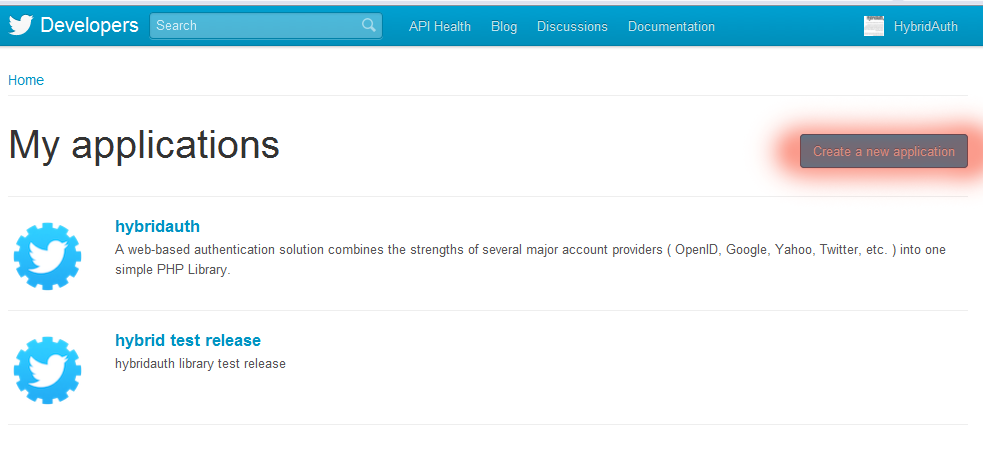
Go to https://dev.twitter.com/apps and create a new application.
-
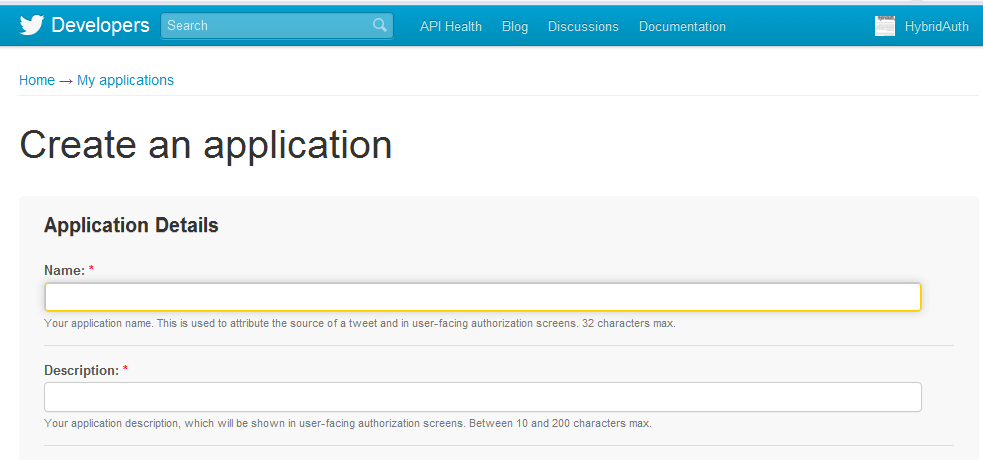
Fill out any required fields such as the application name and description.
-
Put your website domain in the Website field.
-
Provide this URL as the Callback URL for your application: (http://mywebsite.com/path_to_hybridauth/?hauth.done=Twitter).
-
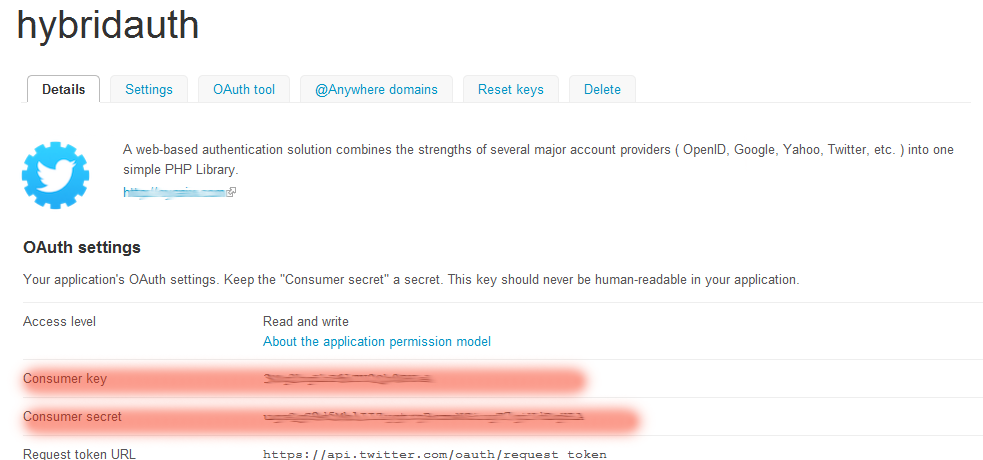
Once you have registered, copy and past the created application credentials (Consumer Key and Secret) into the HybridAuth config file.